Lets start by creating a file at application/controllers/pages.php with the following code.

Now create a folder into views with the name ‘templates’ which will contain the common parts of your template file.
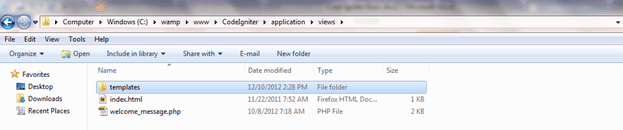
Create two file into ‘templates’ with names ‘header.php and footer.php’ and add the following codes.
Header.php

Footer.php
Create another folder into view with the name ‘pages’ which will contain only body part of pages. For example you want to create a page name ‘home.php’. Only body Body part will be written in this page.
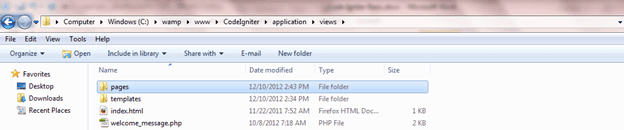
Inside this folder create a page name ‘home.php’ and write a welcome message as below.

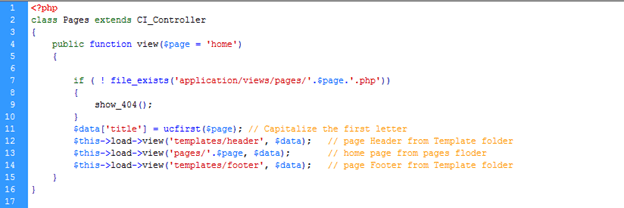
Now edit application/controllers/pages.php page as below –
Now open up a browser and type in http://localhost/CodeIgniter/index.php/pages/view. Hopefully you will see your home page –
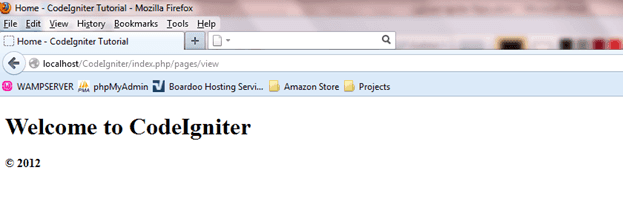
Now let me break down why the URL will be like this http://localhost/CodeIgniter/index.php/pages/view
- http://localhost/ [ your localhost ]
- CodeIgniter/ [ your CodeIgniter folder name ]
- index.php/ [ by default from CodeIgniter ]
- pages/ [ your Controller name ]
- view [ your class name]
If you want some controller to load automatically then follow the steps below
Open “routes.php”, this is located in “/application/config/” relative to your root directory of CodeIgniter, for us, that would be “C:wampwwwCodeIgniterapplicationconfig”
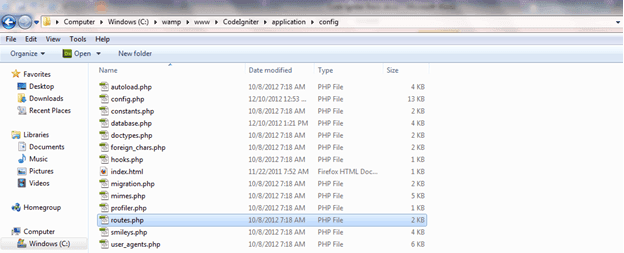
On line 41, you will notice:
$route['default_controller'] = "welcome";It should be:
$route['default_controller'] = "pages/view";
Now visit http://localhost/CodeIgniter/ and that will display your home.php page.