CodeIgniter User Guide Version 2.1.3
Understanding CodeIgniter:
CodeIgniter is a PHP-driven framework, containing a grab-bag of libraries, helpers, plug-ins and other resources that covers many more complex procedures and functions for which PHP is famous. It follows Model/View/Controller (MVC) architecture.
The Model/View/Controller architecture programming aims to keep the business logic of an application separate from the display logic, splitting the presentation aspect of an application (what the user sees in their browser) and the nuts and bolts that drive that application into three interconnected tiers:
- The Model, which represents data structures. Classes contained within the Model tier will contain methods that interact with a database.
- The View, which looks after presentation. A View will normally be a web page, but can also be a page fragment like a header or footer.
- The Controller, which does most of the hard work, and is an intermediary between the Model, the View, and any other resources needed to run your application.
For more understanding about CodeIgniter please visit
http://ellislab.com/codeigniter/user-guide/
and read through carefully the basic info and Introduction.
Now i am going to describe the setup procedure below-
Part 1: Setup CodeIgniter in your localhost with WAMP server
Installing WAMP server:
WampServer is a Windows web development environment. It allows you to create web applications with Apache2, PHP and a MySQL database. Alongside, PhpMyAdmin allows you to manage easily your databases.
To download WAMP server please visit http://www.wampserver.com/en/#download-wrapper site. You can download 32/64 bit depending on your Windows OS.
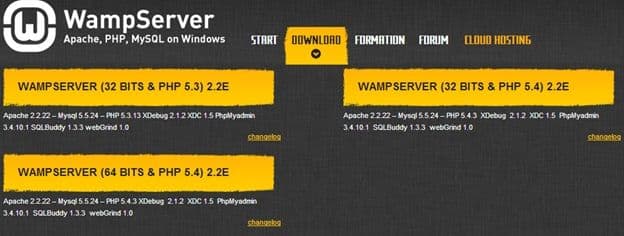
Being downloaded, install the server.
Testing WAMP server:
Open a browser, type in localhost and a page will appear like below.
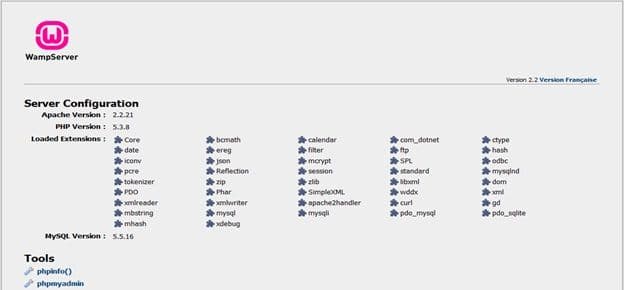
If you face any issue to start this page turn off your running Messengers (i.e. Skype) and restart WAMP server
Download CodeIgniter
The newest version to download is http://ellislab.com/codeigniter.

Being downloaded Unzip the file on drive C:/wamp/www and rename folder as you like. Here I renamed it simply CodeIgniter.
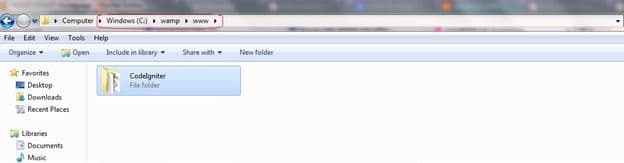
Run CodeIgniter:
Open a browser type in: localhost/your_floder_name and press enter. You will see a CodeIgniter welcome page.
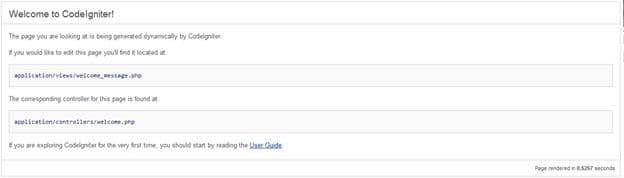
And you are goog to use CodeIgniter now :).